

"Business as usual" is not understood by the person taking over.
In a fictional workplace, the reception staff was absent, and another staff member opened the procedure document. It stated, "Confirm and register order details," but they didn't know what to ask when the quantity differed from the previous order, or what constituted completion. The scenarios and examples in this article are fictional.
People accustomed to their work have checks they understand without needing to write them down. When developing a procedure document, listen to these checks without blame and supplement the conditions that might confuse someone taking over. For decisions related to safety or transaction terms, do not force explanations that allow one person to proceed alone; instead, leave conditions for pausing and asking questions.
Start with one frequently asked task.
The situation where "we have documents, but we still need to ask the person in charge to understand" occurs in many workplaces. When starting to create procedure documents, it's common to see an approach that begins by listing all company operations and trying to cover everything. However, at the stage of listing items, people often stop due to the sheer volume, leaving only partially written pages. Since writing must be done in parallel with daily work, spreading too wide at once means all procedure documents will become outdated while still incomplete.
Therefore, first, choose just one task that is repeatedly asked about on-site. There are three criteria for selection. First, the same question is asked multiple times a month. Second, the task tends to stop when the person in charge is absent. Third, making a mistake requires rework or explanation to others. The more a task fits these three criteria, the more easily you will feel the effectiveness of creating a procedure document for it. Conversely, tasks performed only once a year with changing methods each time are not suitable for the initial subject.
For the chosen task, it's more effective to reduce omissions by observing the actual work and taking notes, rather than having an experienced person explain it verbally. People who have been in charge for a long time tend to omit unconscious checks as "obvious things." For example, comparing current order details with past orders before entry, or making a follow-up call only for specific clients. By asking "What did you just look at?" or "Why did you pause there?" during the work, you can capture judgments that were not verbalized.
Additionally, write down in one sentence who will read it and in what situation. By narrowing down the reader and the usage scenario, such as "for a substitute to handle orders alone when the reception staff is absent," it becomes clear what content should be written and what can be omitted. The level of detail in the explanation will also change depending on whether it's for new hires or for support staff who usually do different work. If you start writing without deciding who the reader is, the procedure document tends to be redundant for veterans and insufficient for beginners.
Furthermore, even when using tools to manage procedure documents on a shared page, what you should decide first is not the page's appearance or classification hierarchy, but rather who will read it and in what situation. Once you experience the process of creating a procedure document for one task, having it used, and then revising it, you will gain insight into how to choose subsequent tasks and standardize writing styles.
- The initial subject should be chosen based on three criteria: frequently asked questions, work stopping due to staff absence, and requiring rework if mistakes are made.
- Don't start by creating a list of all company operations; instead, write one task completely from start to finish.
- Instead of verbal explanations, observe the actual work and take notes to capture unconscious checks.
- Before starting the main text, write one sentence stating "Who will read it, in what situation, and for what purpose."
Summarize order reception procedures on a single page.
Here, we introduce an example of entry based on a fictional order reception and confirmation task. This is not a procedure from an actual company. Please replace it with your company's staff names, document names, and the names of the lists you use, and supplement any points where judgment may vary. The order of items is arranged so that the reader can complete the task by following them from top to bottom.
What is particularly important in the entry example is not the procedure itself, but the "completion markers" and "conditions for pausing and confirming." If only procedures are written, readers may be unsure where to stop and might make their own judgments when unexpected situations occur. By writing down the final state and situations where one should not make independent decisions, even first-timers can proceed with work confidently.
Conditions for pausing and confirming are not useful if written as "consult if you think something is wrong." Instead, write clear boundaries that readers can judge without hesitation, such as "if inventory falls below X units" or "if there are fewer than Y days until the desired delivery date." The boundary numbers should be determined by asking experienced staff where they usually make such judgments, and then adjusted if they don't fit after use.
Finally, always write down who is responsible for revising the procedure document and who acts as their substitute when they are absent. A procedure document without a designated person in charge will not be updated even if its content becomes outdated, and readers will use it with doubt, wondering "Is this still correct?" Including the last confirmed date and the next review period allows readers to judge the recency of the content.
- Task Name: Confirmation after receiving an order (orders received via phone, email, or order form).
- Reader: Reception staff and anyone substituting for them on days they are absent.
- Starting Condition: When an order notification is received. Orders received by 3 PM on the day must be confirmed within the same day.
- Information to Confirm: Order details (item name, quantity, desired delivery date, shipping address), current inventory list, and a shared sheet summarizing notes for each client.
- Step 1: Transcribe order details to the reception list and check for any blank fields in item name, quantity, desired delivery date, and shipping address.
- Step 2: Check the inventory count for each item in the inventory list and see if stock remains after deducting the order quantity.
- Step 3: Check notes for each client and, if there are specified delivery or contact methods, transcribe them to the remarks column of the reception list.
- Step 4: Notify the person who placed the order that reception is complete, change the status in the reception list to "Confirmed," and inform the shipping department.
- Completion Marker: The status in the reception list is "Confirmed," and both the reception completion notification and the notification to the shipping department have been sent.
- Exception 1 for pausing and confirming (Insufficient Stock): If deducting the order quantity results in insufficient stock, or if the remaining stock falls below the usual safety stock. Do not send reception completion notification; consult the order manager.
- Exception 2 for pausing and confirming (Delivery Date Mismatch): If there are fewer than 2 business days until the desired delivery date, or if it cannot be met with the usual shipping schedule. Do not promise a delivery date yourself; await the order manager's decision.
- Exception 3 for pausing and confirming (Content Discrepancy): If the item name or quantity significantly differs from past orders, or if there is a discrepancy between the order form and email content. Proceed after confirming the details with the person who placed the order, and record the confirmed details in the remarks column.
- Revision Responsible Person: Order Manager. Substitute when absent: Reception Supervisor. Contact methods: Internal extension number listed in the company contact list and internal chat.
- Last Confirmed Date / Next Review Period: Enter the last confirmed date and the month for the next review (e.g., enter last confirmed date, next review in six months).
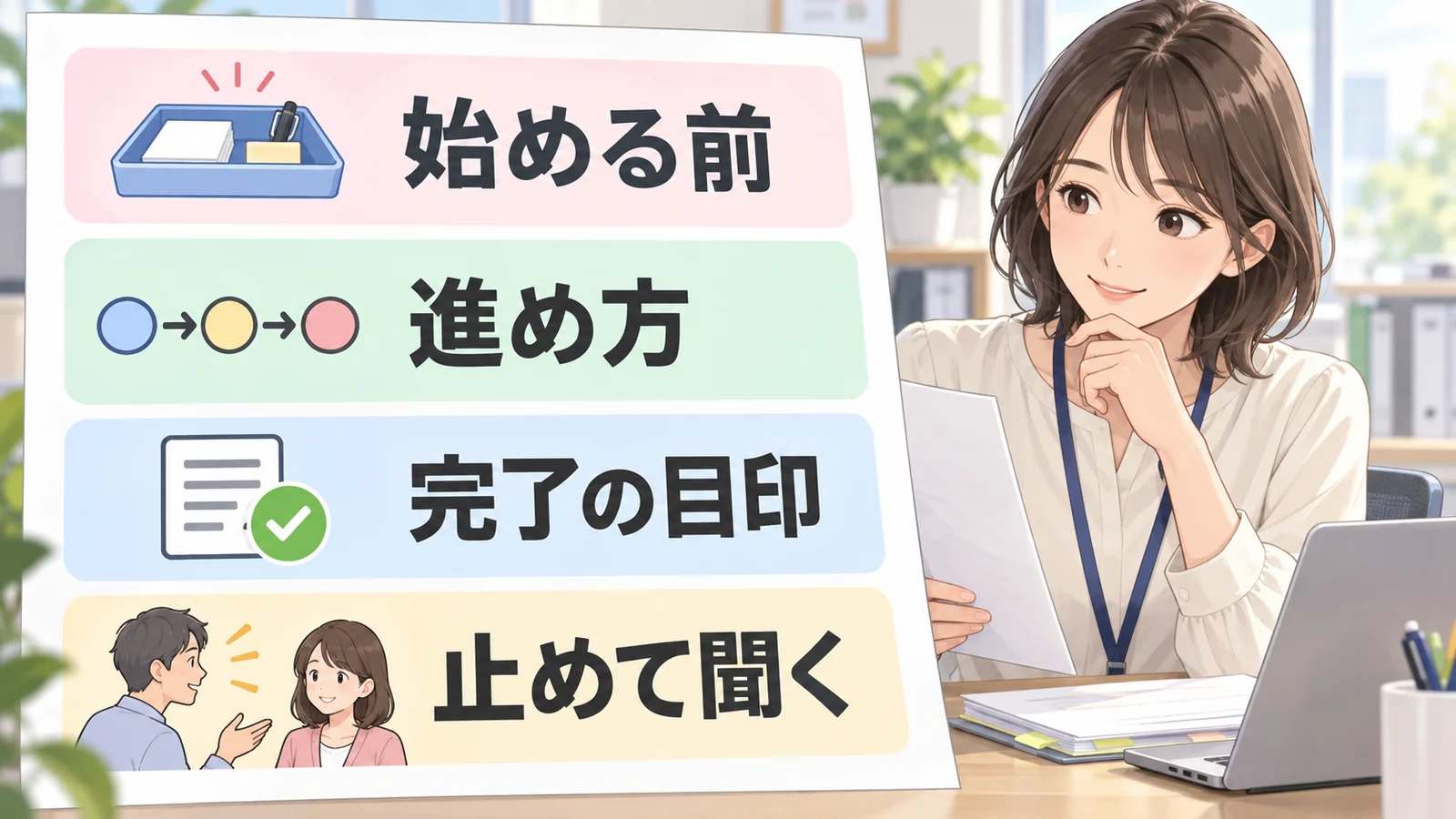
What can be understood from the diagram: If it includes not only the order of operations but also the starting conditions, completion markers, and conditions for stopping decisions, it becomes easier for the next person to use.
Centralizing Access and Deciding Update Responsibilities
A common reason why procedure documents stop being used is the situation where "we made it, but we don't know where it is." If storage locations are scattered—shared folders, internal bulletin boards, personal notes, printed papers—readers will give up searching and ask the person in charge. Decide on a single entry point for procedure documents, from which all documents can be accessed. Even when posting on paper, write the location of the entry point on the posted material, and manage the main content only at that single entry point.
Procedure document names should be in language that readers commonly use. Names like "Business Documents" or "Manual Set" do not distinguish content. Make them directly traceable from the task name, such as "Order Reception Confirmation," "Return Reception," or "End-of-Month Invoice Issuance." If you establish a naming convention like "Task Name + Subject (if necessary)," naming will not vary by person. Placing copies of the same content in multiple locations makes it unclear which one to revise, so do not create copies; instead, direct users to a single entry point.
Next, decide on an update person in charge and a verifier for each procedure document. The update person in charge is the person who rewrites the main text when procedures change. The verifier is the person who checks if the rewritten content matches the actual work. If one person writes and verifies alone, it becomes difficult to notice omissions due to assumptions, so another person should verify whenever possible. Allowing anyone to suggest revisions is a good approach, but we do not implement a system where procedures are replaced without verification.
The triggers for reviewing procedure documents should also be decided in advance. Simply "fixing it when noticed" will lead to postponement during busy periods. By specifically defining triggers, the person in charge can act without hesitation. When a review is done, record the changed parts, the reason for the change, the date of change, and the person who confirmed it as history. If the reason remains, future readers can understand "why this confirmation is necessary," making it easier to decide whether to remove or keep unnecessary checks.
- One entry point. On posted materials and paper copies, write the location of the entry point, not the main text.
- Names should follow the "Task Name + Subject" format and use language familiar to the reader.
- Separate the update person in charge (the person who rewrites) and the verifier (the person who checks if it matches the actual work).
- Review Trigger 1: When the forms or screens used, such as order forms or lists, change.
- Review Trigger 2: When there is a change in personnel or work assignments.
- Review Trigger 3: When there are client feedback or rework is required due to omissions in procedures.
- In the history, record the changed parts, reason, date, and the person who confirmed it.
Verify old procedures by using them on-site.
Procedure manuals are most accurate immediately after creation, but over time, they gradually diverge from actual work. Small changes, such as a change in format, a different person for confirmation, or revised client rules, accumulate, and before you know it, the manual becomes one that no one reads. To prevent such obsolescence, it's crucial to not only review it when changes occur but also to set a regular review period even if there are no changes.
A highly effective method for review is to have someone who doesn't usually do the work actually follow the procedures using a hypothetical test case. For example, set up a scenario where a hypothetical order arrives from a hypothetical client, and have them proceed from reception to confirmation, referring only to the procedure manual. Experienced staff can do the work without reading the manual, making it difficult for them to notice omissions or outdated descriptions. The points where a new person stops while reading the manual are precisely the places that need to be elaborated.
When conducting a simulated confirmation, the person who wrote the procedure manual should not interject. If questions arise, record them without answering on the spot, and reflect them in the manual after the session. Noting down where they stopped, words they were confused by, or lists they couldn't find, will make the points to be corrected specific. Recording the time taken for confirmation also allows you to compare if the manual has become easier to understand in the next review. Hypothetical cases are used to avoid using real orders or client information for practice.
If unused procedures are left as they are, they can mix with new procedures and confuse readers. For obsolete procedures, indicate "Currently not in use" with a reason and date, remove them from the usual entry points, and move them to a storage location. For items that need to be kept as records, confirm the retention period and storage location before organizing them, and delete those past their period according to a defined procedure. If screens or documents containing names or contact information are used as examples, obscure that information and confirm who is authorized to view it.
Regular inspections are easier to maintain if conducted once a year in a fixed month. During an inspection, it's not necessary to review all procedure manuals at once. From the entry list, prioritize those with old last confirmation dates, those used frequently, and those related to work that recently required rework. If the inspection reveals no issues with the content, only update the last confirmation date; if corrections are made, leave a history. By continuing this process, procedure manuals become living documents that evolve with the workplace, rather than just "created and done."
- In addition to reviews when changes occur, designate an annual inspection month.
- For simulated confirmation, have someone who doesn't usually do the work proceed through a hypothetical test case, referring only to the procedure manual.
- The writer should not answer questions on the side, but record where the person stopped, words they were confused by, and documents they couldn't find.
- Elaborate on the points where they stopped, and then have another person follow the procedure again to verify.
- For unused procedures, indicate the reason and date, remove them from the usual entry points, and organize them after determining their retention period.
- Annual inspections should prioritize items with old last confirmation dates, frequently used items, and items related to recent reworks.
- If personal names or contact information appear in examples, obscure them and confirm who is authorized to view them.
A small question
The procedure manual states, "Completion upon confirmation of order details." After a new employee enters an order, what should they check to consider it complete?
Gather indicators that all necessary workplace confirmations have been completed, such as item, quantity, delivery date, and response to the client. If there are unconfirmed conditions, the scope of responsibility for that person might extend to handing it over to the confirmation person in charge and recording it.
It's not necessary for a new employee to finalize all orders alone. Some workplaces may find it suitable to assign only regular orders to new employees, with procedures for handing over quantity changes or special conditions to a dedicated staff member. The completion indicators should be determined according to the scope of responsibility.
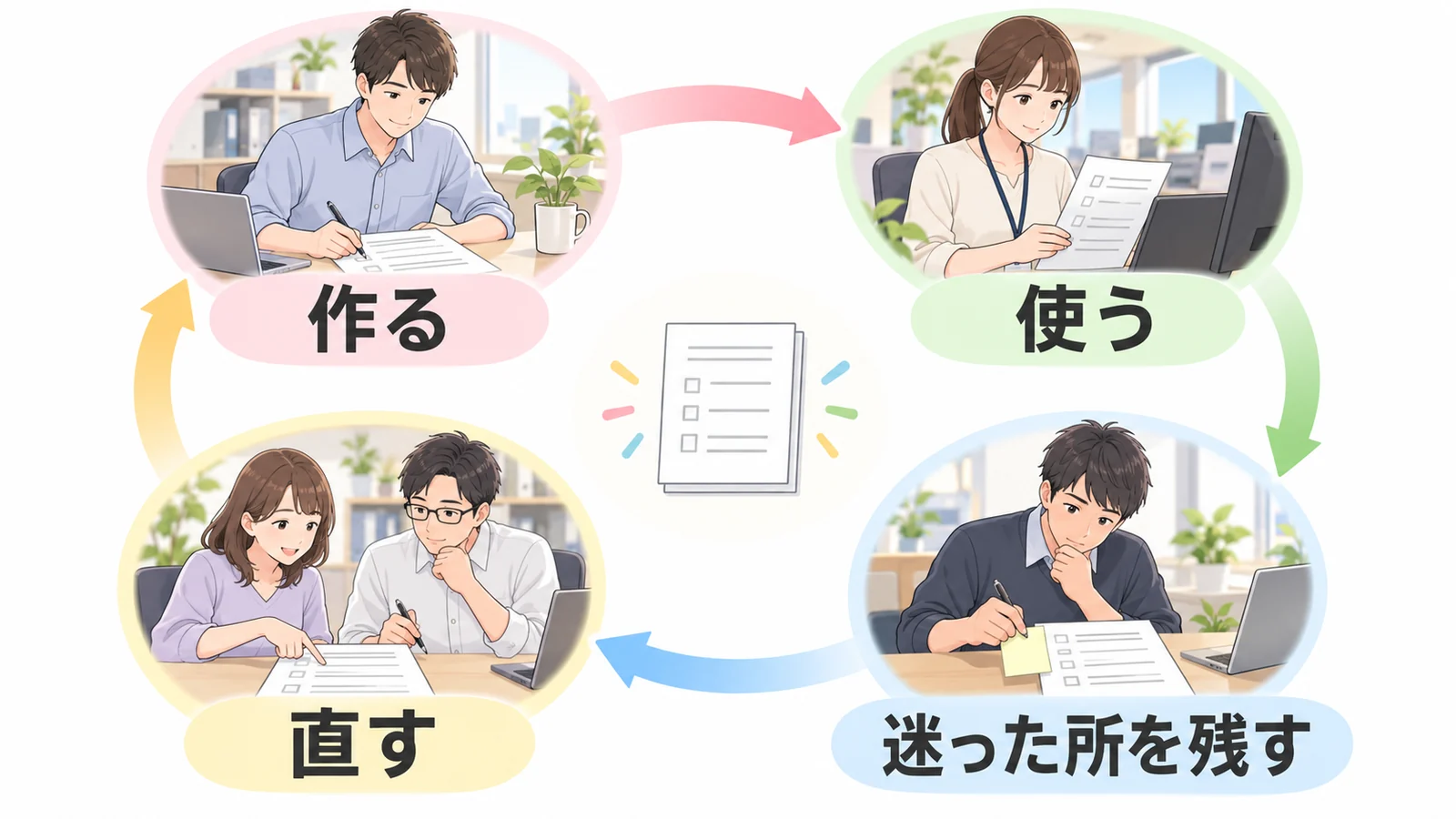
What can be understood from the diagram: It's not finished once written; instead, it involves repeatedly noting the confusion of actual users, and having the person in charge review and update it.
This week, try reading one procedure manual with another staff member.
Choose one frequently asked task and read the procedure manual as if you were taking over the responsibility. Using a hypothetical order (without actual customer information), check if you "can start," "where you would stop," and "if you know when it's complete." You can begin by clarifying one confusing point.
When making corrections, record the date of change and the confirming staff member, and communicate the changes to users. Also, confirm whether updates reach those who use paper copies. Gradually expand the scope of the work, using the ability of readers to explain it as a benchmark.
Key points of this article
- Write about one frequently asked task from the perspective of someone taking over.
- Document the conditions for starting, indicators of completion, and conditions for stopping and asking questions.
- Record confusions encountered during use, and have the responsible person confirm and update.


