

Having documents and being able to use them for work are different.
In one workplace, I took over the end-of-month invoice verification. I was told the document name, but I couldn't open the link in the list I received, nor could I see the communications in the predecessor's inbox. The scenario and examples are hypothetical. This illustrates that the mere existence of documents does not ensure continuity of work after a personnel change.
If information is scattered across departments or individual locations, you'll have to repeatedly ask 'Which one should I look at?', 'Can I open it?', and 'Who should fix it?'. Documents visible to regular staff may not be equally visible to temporary support or replacement personnel.
First, choose one task and the scenario in which it's used. For end-of-month verification, list the necessary reports, confirmed conditions, pending communications, and past corrections. Rather than gathering information from the entire company, start by ensuring that the chosen task can be completed from beginning to end.
Distinguish between Final Versions, In-Progress Documents, and Past Records
A final version is a document that has been confirmed and is used for current work decisions. An in-progress document is one whose content may change, and past records are documents used to check previous circumstances. A new date alone does not necessarily mean it's a final version. Prepare indicators that show when a document is in a usable state.
For example, at the 'Invoice Verification' access point, separately place the list to be used this time, the in-progress verification memo, and previous correction records. Create access points that can be traced from the job name, reducing reliance on searching only by the name of the person managing it. Ensure that the access point does not change even if the person in charge changes.
The three categories in the diagram are just one example of arrangement. If there are few documents, a method of noting the status and usage period in the same list is also suitable. If too many classifications confuse users, observe how they actually search and narrow down to the categories necessary for the work.

What can be understood from the diagram: Not only newness, but also whether the document has been confirmed, is in progress, or is a past record, can be distinguished.
At the access point, leave the document's purpose and the update person in charge.
In the access point list, include not only the document name but also when it's used for verification, the person responsible for correcting its content, and the review date. Writing it like 'End-of-month Invoice List: Used for checking missing invoices. Update: Accounting Dept. Finalized: After end-of-month reconciliation' also clarifies whom to ask about the document's status. The example is hypothetical.
There's no need to cram detailed explanations into the access point. Prioritize documents seen in regular work, and make exceptions and past circumstances traceable when needed. Check together with new hires if they can understand the terminology at the access point by opening it with them.
When documents are moved, designate a person responsible for updating the access point. Even if the main content is updated, it cannot be found if the access point still points to an old location. Also, confirm the period for retaining old links and the method for correcting references in paper manuals, according to the usage environment.
For personnel changes, the individual themselves should open and verify.
During a handover, first confirm the access point for the task. Next, open the document in the successor's own user environment and test if they can view the necessary parts and perform correction operations. Simply opening and showing it on the predecessor's screen does not confirm that the successor can use it.
After that, change the person responsible for updating documents and the person responsible for managing sharing scope. If there are communications or deadline notifications sent to individuals, also verify the recipients. Finally, proceed with regular work together, confirming where to leave pending verifications and whom to ask when encountering difficulties.
For documents with restricted viewing scope, such as HR or customer information, confirm only the necessary scope for the successor. Instead of transferring all of the predecessor's information, share it according to the assigned task and internal company agreements.
A Small Question
I was shown all the documents on the predecessor's screen. Can the handover be considered complete now?
The successor themselves should open the necessary documents in their actual working environment and verify if they can proceed with the work. Also, check if the update responsibility or notification recipients are still assigned to the predecessor. Distinguish between the experience of being able to view and the state of being able to use after handover.
If updates are not entrusted to temporary support personnel, confirming only the viewing scope may suffice. Nevertheless, establish a contact person for when inaccessible documents appear and how shared information will be handled after the support period ends.
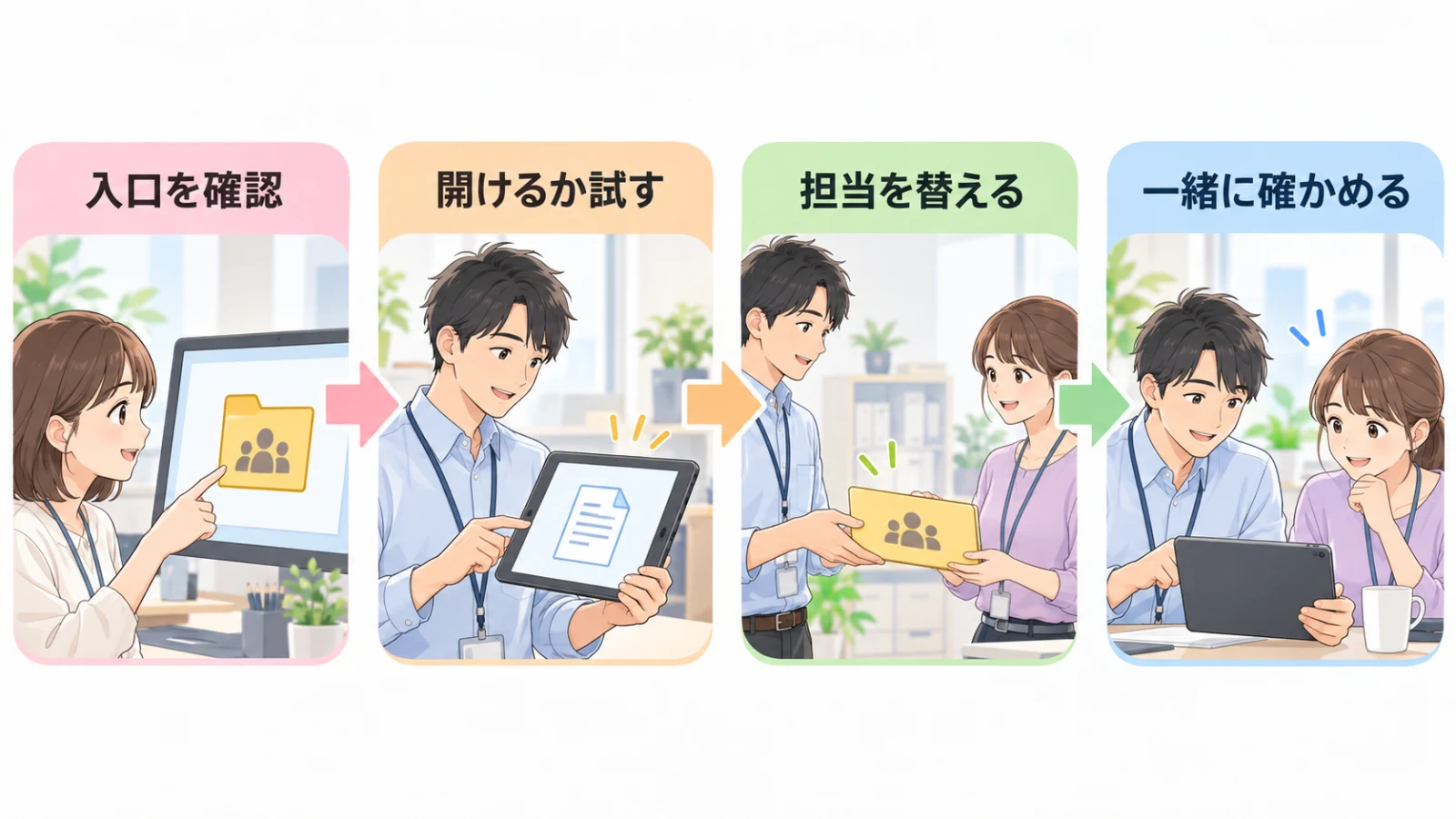
What can be understood from the diagram: Don't just show the location; confirm that the successor can use it and that the person responsible for updates and management has changed.
Hand over unfinished tasks until the next verification.
A hypothetical handover example is: 'This month's invoice list is at the final version access point. One additional order is under review, awaiting a response on shipping records. The next person in charge will reconcile the quantities tomorrow morning and update the list once confirmed.' Communicate not only completed documents but also where work in progress remains.
The predecessor checks tasks remaining in their inbox or notebook. They consolidate necessary communications into shared records but do not transfer irrelevant information. If the original communication is needed, provide a reference that the successor can access. Simply saying 'You'll find it in the email' is not enough search criteria.
The successor should try to explain what they heard in their own words. If they can say, 'Tomorrow, I will look at this record and verify this quantity,' they will more easily notice missing information. Supplement any areas they couldn't explain, one by one, without blaming them on the spot.
Separate information to be shared from information with restricted sharing.
A state where everyone can see everything is not always suitable for work. For personal information or contract terms, confirm the person responsible for handling it and the viewing scope. There is also a method of leaving only the progress in a broad list and limiting details to the person in charge. Consider together the convenience of sharing and the treatment of protecting necessary information.
Before discontinuing the predecessor's access, confirm whether the managed tasks have been transferred to another person in charge. If documents or notifications become untraceable after discontinuation, work may halt midway. The order of discontinuing access should proceed according to internal personnel and the descriptions of the services used.
If there isn't enough time for a handover, prioritize confirming tasks with approaching deadlines and those that would have a significant impact if halted, rather than trying to cram everything into a short period. Leave a list of unconfirmed areas and decide when and with whom to confirm them. Avoid hiding unclear parts with a simple 'handover completed' statement.
Check the access point when the regular person in charge is absent.
Before a personnel change, give the successor only the access point for the task and have them follow one routine operation. Instead of continuously teaching document locations, observe where the successor gets stuck. This can reveal assumptions that only the regular person in charge would know, such as the meaning of 'this month's portion' or the indicators for a finalized list.
Explanations heard on the spot should not only be recorded in the successor's notebook but also added to the access points and procedures that will be used again. Also, record the update date and the person responsible, and verify if another person can follow the same path. Separately confirming that necessary documents can be opened and that work can be proceeded with those documents allows for specific discussions about handover deficiencies.
Hand over daily/monthly tasks and emergency contact information.
In addition to the document access points, list daily and monthly tasks. Leaving the task name, execution date, completion indicator, person to confirm, and location of documents used makes it easier for the successor to determine what to do next. Also, consolidate update dates, managing personnel, and emergency contact information for transactions and tools in use, in a place where necessary individuals can check.
Do not list passwords directly in procedure manuals. Hand over the management location decided by the workplace and the verification destination for usage. Don't just end with the writer explaining; ensure the successor can open documents under their own name and follow one routine operation with hypothetical materials.
This week, try opening one task as a different person in charge.
Choose one frequently used piece of information and have a different person in charge trace it from the access point. Check if they can identify the final version, open necessary documents, and know the update responsibility. Even fixing just one inaccessible link can prepare for the next personnel change.
After confirmation, record the names of access points that caused confusion and any missing explanations. Rather than increasing the number of documents, expand to other information while ensuring that users can continue one task.
Key Points of This Article
- Separate the uses of final versions, in-progress documents, and past records.
- The successor themselves should open and test the scope of viewing and editing.
- Hand over unfinished tasks and the responsibilities for updates and management.


