

Shared Documents Become Different Versions in the Recipient's Hands
After attaching meeting materials to an email, a numerical correction was made. The creator corrected their own file, but in the meeting, someone else opened the previously attached document. The scenarios and examples in this article are hypothetical. This is an opportunity to review not only one person's oversight but also the existence of multiple access points.
When you send a file, a copy remains with the recipient. Even if you correct the original later, the copy may not be corrected simultaneously. As more documents with the same name accumulate, simply looking for the newest date won't tell you if a document has been finalized.
First, choose one document that is frequently re-checked. By confirming who uses it, when, and for what purpose, it becomes easier to decide its location and display status. Rather than moving all company documents at once, try on a small scale to see if people can access it from the same entry point.
Separate Final Versions, In-Progress, and Past Records at the Entry Point
Final versions are documents used for business decisions, 'in progress' documents are those not yet confirmed, and 'past records' are for investigating previous circumstances. Clearly seeing these distinctions helps reduce the misconception that a file can be used just because it has a new date.
For example, within an entry point like 'Monthly Meeting Materials,' categorize into 'Final Version for Current Use,' 'In Progress,' and 'Past Meetings.' Ensure users can navigate from the job name and avoid creating entry points solely with department-specific abbreviations. Also, decide who moves the file when its status changes.
Creating too many deep hierarchies will only increase the work of searching again. The three categories in the diagram are just an example. For a small number of documents, displaying their status in the same list also works. What's needed is not the number of folders, but the ability to distinguish which documents are currently safe to use.
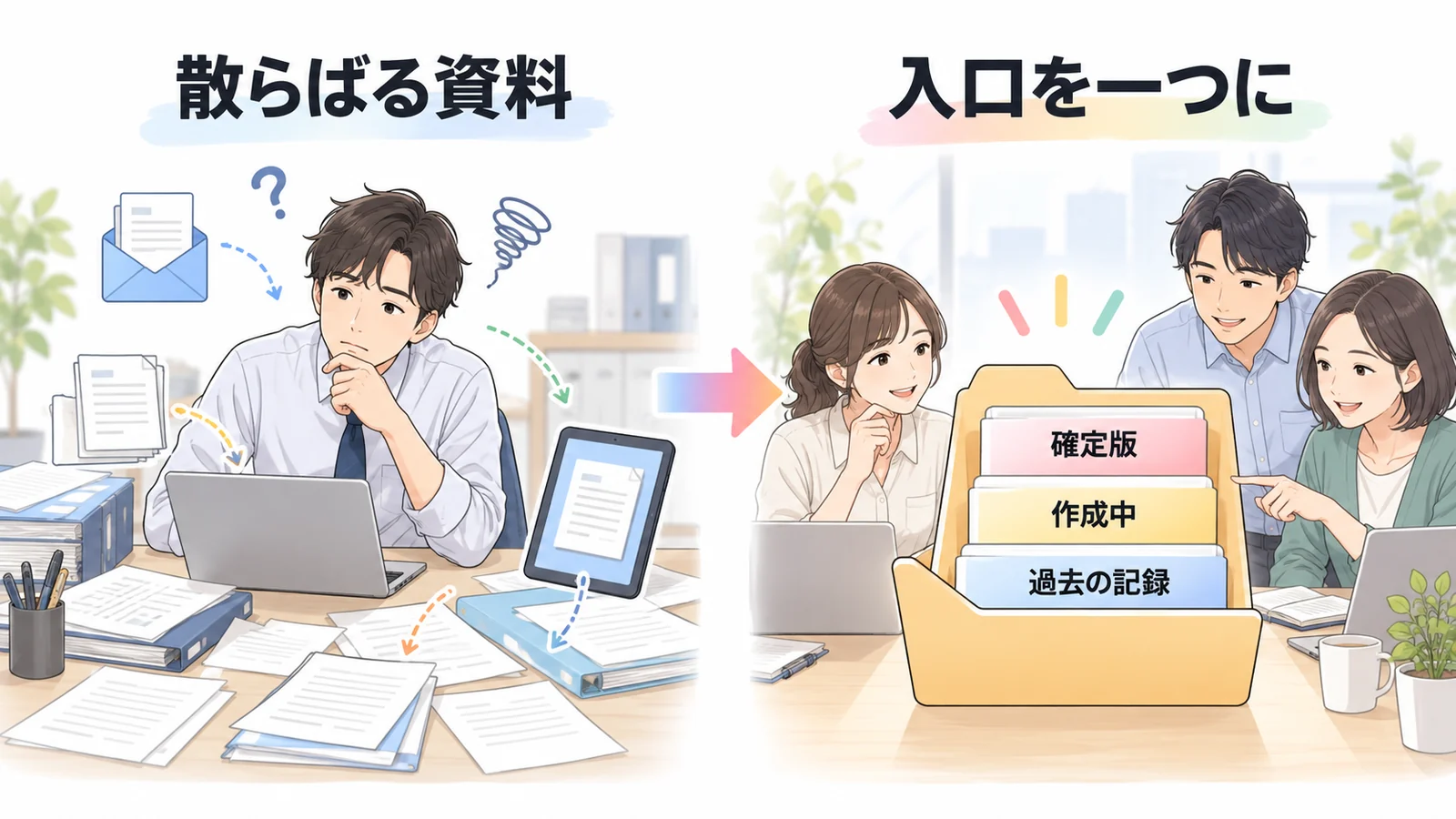
What the diagram shows: In addition to collecting documents, we create an entry point that distinguishes between the final version used for work and interim documents or past records.
Mark the Latest Version with a Confirmation Indicator
Adding dates to document names is helpful, but a date alone doesn't indicate if it's confirmed. Decide on necessary indicators for work, such as the confirmation date, the person who confirmed it, and the period of use. In some cases, it's more user-friendly to have a single entry point for the final version rather than using names like 'Final' or 'Truly Final' repeatedly.
A hypothetical example is: 'Subject: This month's meeting materials. Status: Confirmed. Confirmation Date: Day before the meeting. Confirmed by: Creator and Meeting Coordinator. Upon correction: Update the final version and notify meeting participants of the corrections.' Do not cram all detailed history into the document name; keep necessary information in a list or on the cover page.
For corrections after finalization, consider not only fixing the file but also ensuring that changes are communicated to those who have already used it. Documents printed and distributed, or sent externally, will not change just by updating the shared location. A procedure is also needed to confirm the content of the correction and what action is expected from the recipient, then communicate it.
Separate the Roles of Viewers, Editors, and Administrators
Viewers open the necessary final version. Editors update the content and send it for confirmation. Administrators maintain the entry points and sharing scope, and ensure accessibility during personnel changes. Even in workplaces where one person has multiple roles, documenting who confirms what makes transitions easier.
While it's convenient for everyone to be able to edit, the impact of incorrect changes or deletions can be significant. Differentiate and confirm who only needs to view and who needs to update. Even after entering names in the settings screen, test with the individual to see if they can actually open the document and perform necessary operations.
In case the administrator is absent, also check if another person in charge can confirm the entry points and sharing scope. If work documents are only gathered under individual user registrations, they may become inaccessible upon retirement or account suspension. Align the management method for work documents with internal personnel.
A Small Question
Before sending a document link to an external party, is it sufficient to just confirm that the link opens?
Also confirm whether only the necessary documents are visible to the recipient, if they can accidentally perform editing operations, and how to handle the sharing period. Check if you haven't provided an entry point that leads to other documents. Both the convenience of opening and the appropriate scope of visibility are necessary for judgment.
If it's a collaborative editing task, a view-only method might not be suitable. In such cases, align with the other party on the scope of editing, indicators for confirmed changes, and how to handle the document after the work is completed.

What the diagram shows: Tasks such as reading documents, updating content, and maintaining sharing can be checked separately. Even when focused on one person, roles are handed over during transitions.
For Documents Shared Externally, Confirm Scope and Duration
When increasing sharing recipients, first decide what content to show. If only a part of the document is sufficient, you can prepare only the necessary parts for the recipient instead of providing the entire internal document. For documents containing personal or person in charge information, review the content before sharing.
Before sending, test if the intended recipient can open it. Opening it on your own screen is not proof that the recipient can open it in the same way. Also, check if it's set to be open to anyone or if it can be opened even after being forwarded, by consulting the service's explanation and internal company rules.
After the work is finished, decide whether sharing needs to continue. If a deadline can be set, use it; if not, note the person responsible for review and a review date. Simply sending a link does not provide a trigger to review the sharing scope later.
Some Conditions Are Not Solved Simply by Changing the Location
In environments with unstable communication, jobs that cannot use external services, or procedures that always require printed materials, the same sharing method cannot be directly applied. In such cases, prepare a backup that can be used when needed, and decide on the backup version and update method. Also, confirm whether corrections reach those who use paper documents.
Moving documents can render old links and procedure manual references unusable. Before moving, check who is opening from where and test from frequently used entry points. Instead of deleting old documents in bulk, separate records that need to be preserved from entry points that will no longer be used.
Also confirm if it can be restored if accidentally deleted. The restoration method, recovery period, and responsible person vary depending on the service and contract. Do not assume that sharing implies safe storage; confirm the necessary storage method for work with internal personnel.
Test with Users, Starting from Document Search
Have the organizing person ask users to 'Please open the document for this meeting' without explaining the entry point. Observe what keywords they used to search, where they got lost, and if they skipped any intermediate documents. What is clear to the person who named the folders might differ from the terminology used in the reader's work.
When correcting confusing areas, there's also the option to change the entry point name or a brief description before moving all documents. If the meaning of 'final version' isn't consistent, supplement the conditions for judging what can be used. Trying it once in an actual usage scenario makes it easier to find deficiencies in explanation that weren't noticed when just creating a neat classification.
When Responsibilities Change, Review Sharing Destinations and Login Methods
In case of transfers or retirements, check both documents that the old person in charge can still view and documents that the successor cannot yet open. For links shared externally, confirm the recipient and deadline, and close those for completed work. It is not acceptable to omit confirming the recipient based solely on link expiration or password.
For tools used to store documents, confirm with the administrator whether methods of verification using the individual's device, in addition to passwords, can be used. This should be done in conjunction with the task of defining the scope of visibility. Initially, before moving important actual documents, test with non-confidential trial documents to confirm the accessible scope from the perspective of both viewers and editors, which makes it easier to find configuration errors.
This Week, Try Opening One Document from the Same Entry Point
Choose one frequently used document and have both viewers and editors open it from the same entry point. Each should explain which is the final version and where to find corrections if any. Even correcting just one point where explanations differed can provide material for deciding the next sharing method.
Next, anticipate a scenario where responsibilities change and confirm if necessary documents can be accessed even if the administrator is absent. Expand the scope while observing whether documents could be opened without confusion during work and if changes could be explained, rather than just focusing on the number of organized folders.
Key Points of This Article
- Create an entry point that leads to the final version from the job name.
- Confirm viewers, editors, and administrators.
- For external sharing and corrections, confirm up to the scope visible to the recipient.


