Summary
Key points of this document
- Migrating to OrbStack and separating worktrees are different problems.
- Diagnose conflict factors by separating them into names, ports, data, and operations.
- When migrating from Docker Desktop, perform inventory and reconciliation first.
Overview
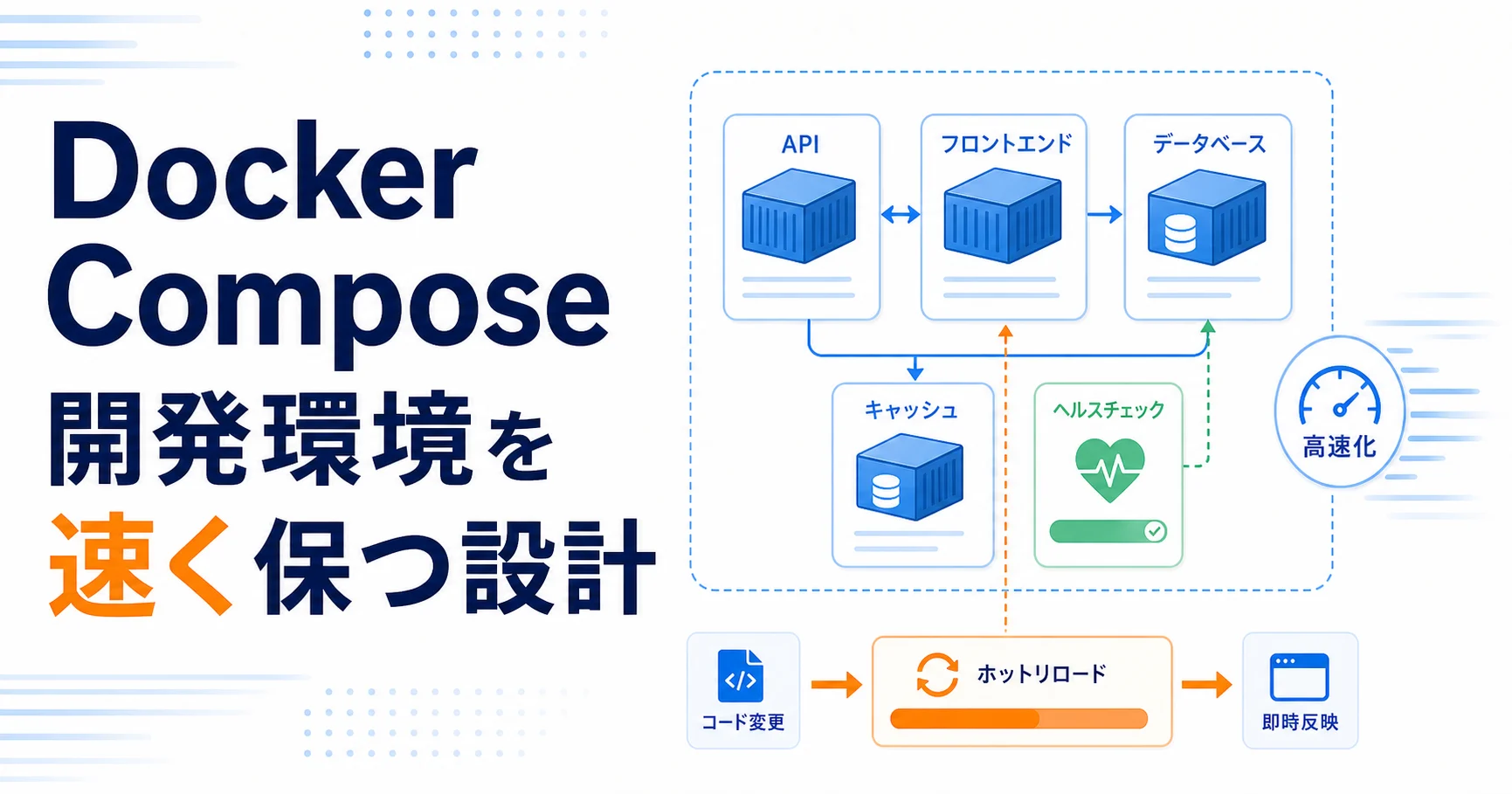
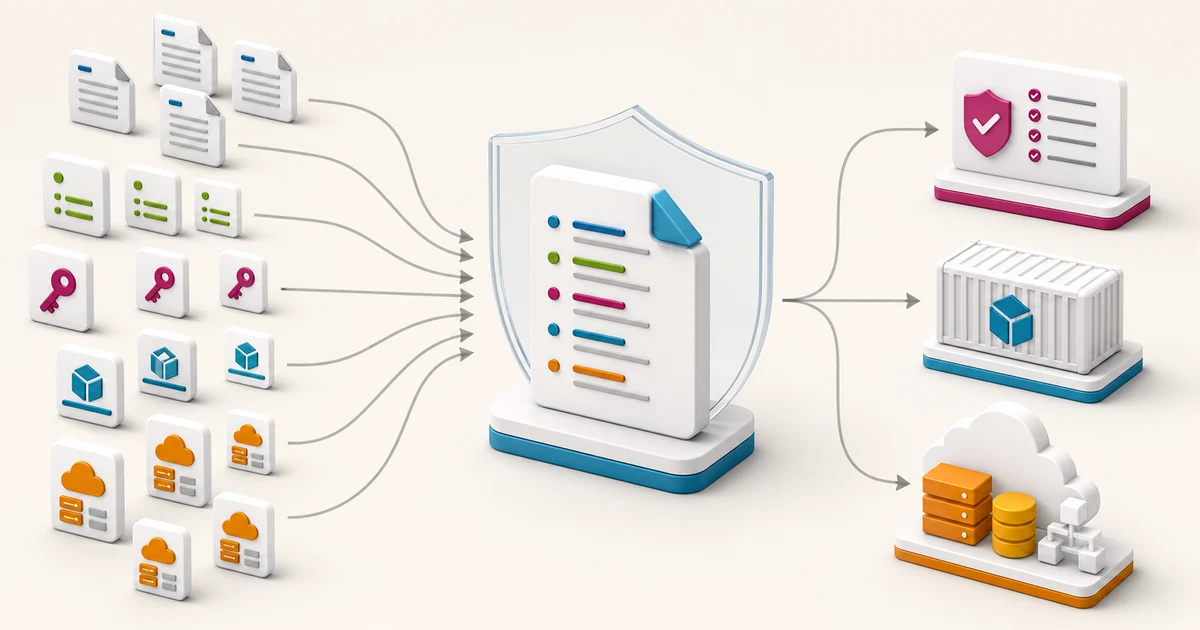
Simply migrating to OrbStack does not resolve conflicts between multiple worktrees. While keeping the container runtime as a single shared foundation, Compose projects, containers, networks, exposed ports, image tags, and mutable data need to be separated into worktree-specific namespaces.
Migrating to OrbStack and separating worktrees are different problems.
When Docker Desktop and OrbStack coexist on macOS, images, volumes, and build caches accumulate in their respective virtual environments. Having the same data in two runtimes not only increases disk usage but also makes it unclear which one the current Docker context or Buildx builder is pointing to. Consolidating to a single runtime is a foundational step to reduce this duplication.
On the other hand, the problem of running multiple worktrees or multiple AI coding tasks simultaneously remains even if you change the runtime. If you use the same Compose project name, container_name, host port, named volume, and image tag, a compose up from a different worktree might recreate existing containers with different bind mounts, share a database, or stop due to port conflicts.
BuildKit has mechanisms for efficient waiting and cache sharing to optimize identical build processes, but it does not guarantee safe sequential execution for the entire application. Since it does not arbitrate migrations, compose up commands, tests, or volume updates between different tasks, execution environment namespaces must be designed separately.
- Shared foundation: Docker Engine on OrbStack, image layers, selected BuildKit cache.
- Execution environment per worktree: Compose project, containers, networks, exposed ports, volumes, image tags.
- Mutable data: Separate DBs, objects, emails, queues, and migration states per worktree.
Diagnose conflict factors by separating them into names, ports, data, and operations.
First, expand the final Compose configuration and look for fixed values. The main items to check are explicitly stated project names, container_names, host-side ports, external or fixed-name volumes/networks, fixed image tags, and fixed localhost ports within environment variables. Not only Compose files, but also override files, environment variables, Makefiles, test configurations, and READMEs can share the same assumptions.
Bind mounts point to different sources for each worktree. If you recreate containers with the same name in a different worktree while sharing them, even if the service looks the same, only the loaded code might switch to the other worktree. This is harder to detect than a simple port conflict and can make it seem like one task is executing changes from another.
Destruction operations are also subject to diagnosis. docker system prune or builder prune without specifying targets can delete caches and resources used by other worktrees or tasks. In a shared runtime, the more convenient a global operation is, the more its scope of impact needs to be checked, and targets should be narrowed down using project labels or builder names.
- Are fixed project names and container_names disabling Compose's automatic namespacing?
- Are host ports and localhost ports within environment variables resolved with the same allocation rules?
- Are named volumes and image tags not being updated with the same name from different worktrees?
- Are global prune or builder switches unreachable during the execution of other tasks?
When migrating from Docker Desktop, perform inventory and reconciliation first.
Before migration, stop tests that use compose, build, migration, and containers. Next, list disk free space, Docker context, container, image, volume, and Buildx builder, and classify which data can be regenerated and which must be transferred. Caches can be regenerated, but DBs and object storage volumes cannot be treated the same.
For regenerable caches, confirm the builder in use and the amount of data held, then limit the scope and collect them. After that, stop related containers and move volumes. Even when using OrbStack's automatic migration, do not judge solely by the completion display; verify that all volumes that existed on the source are present on the destination. For manual copying, instead of saving a huge tar to the host, directly expand the archive streamed from the source volume to standard output into the destination volume to minimize temporary space.
For major volumes, compare the number of files and logical bytes before and after migration. For DBs, add representative queries and DB-specific integrity checks. Items where exact matches are not expected, such as auxiliary metadata and sockets originating from macOS, are recorded as exceptions beforehand. Transfer only necessary images or rebuild them, switch the Docker context to OrbStack, and recreate custom builders with new endpoints. After passing health checks and smoke tests, delete the old runtime.
After deleting the old runtime, check the actual docker, docker compose, and docker buildx executables and their links. OrbStack's official guide states that if existing CLIs are from other sources, they will not be automatically replaced; it advises restarting the app after removing the old CLI. Checking context, CLI, Compose, and Buildx separately makes it easier to pinpoint 'only some commands disappeared' after migration. Even if a deletion error occurs due to macOS protected metadata, do not equate it with data migration failure; follow the official uninstall procedure to troubleshoot.
- Proceed in the order of Stop → Inventory → Limited cache collection → Volume transfer → Content verification → Image preparation.
- Perform health checks and smoke tests after context switching and custom builder recreation.
- Delete the old runtime after confirming the transferred data and the startup of major services.
- Record exceptions such as OS-specific metadata instead of silently excluding them from verification.
Generate resolved Compose from stable IDs and port ledger
A stable ID for each worktree is created from the worktree's normalized path and branch information. A short hash is added to a human-readable short prefix to prevent collisions even with same-named branches or long paths. This ID is used as a common scope for Compose project, network, volume, and image tags.
Public ports are allocated a continuous slot or block from a shared ledger. Ledger updates are exclusive using file locks or atomic updates to ensure that even if prepared simultaneously, they do not receive the same allocation. Allocation results are obtained with status or port commands, and READMEs and tests are changed to a configuration that does not rely on fixed ports.
Before startup, load the base Compose, remove container_name, and generate a resolved Compose with scoped public ports, localhost ports in env, named volumes, and image tags. The generated artifact is placed in a Git-untracked directory under the repository, and its permission is set to 0600 as it may contain credentials. Users do not directly edit the generated artifact.
Entry points are limited to prepare, up, down, destroy --yes, status, compose, port, services, and doctor. The wrapper processes only after confirming that the Docker context points to OrbStack, that there is no override of the connection destination by DOCKERHOST or DOCKERCONTEXT, and that the expected project ID is present. A guard is also placed on the base Compose side to fail if the project ID is not set, preventing raw docker compose from starting with a fixed name. 'down' stops containers and networks but retains volumes and slots, separating complete destruction to 'destroy'.
- prepare: Prepare stable IDs, port allocations, resolved Compose, and environment files.
- up / compose: Always use the resolved configuration and scope via the wrapper.
- status / port / services / doctor: Mechanically check URLs, assignments, startup status, and guards.
- down: Retain mutable data and slots. destroy --yes: Completely destroy only strictly matching dedicated resources.
Sharing mutable data is only possible when it can be separated into internal namespaces.
You can save memory by starting and sharing a single DB, object storage, email verification, and queue. However, even if the connection destination is the same, if the DB name or schema, bucket, queue, mailbox, and migration history are not separated per worktree, the isolation of the execution environment will be broken midway. A configuration where A's migration changes B's table is not safe even if container names are separated.
In the standard design, mutable data, including DBs and storage, is placed in worktree-specific volumes. Sharing is limited to immutable image layers and BuildKit caches that can be regenerated even if their contents are corrupted. Although disk usage increases, the scope of destruction and reproducibility become clear.
A shared DB is only viable if the DB or schema is always resolved from the worktree ID, connection permissions are limited to that namespace, and migration locks and history, seeds, queues, buckets, and emails are all separated by the same ID. If any of these revert to a fixed value, it is safer to revert to a dedicated volume rather than a shared solution.
- For each sharing candidate, check the namespace, permissions, migration, and deletion unit.
- The condition is not only that the connection URLs are different, but that all paths of the stored mutable state are separated.
- Do not easily replicate production-equivalent credentials or actual data to development worktrees.
destroy only deletes when the project ID and label match.
Complete destruction is executed after sequentially verifying the format of the project ID, correspondence with the current worktree, Compose label, and volume label. Without an explicit --yes, it will display a list of targets and stop, and even after confirmation, only matching resources will be deleted. Forward matching of names or ambiguous globs are not used as deletion criteria.
Port slots are not released by down. This is because if a worktree that resumes while retaining data acquires a different port, it will deviate from saved URLs and test settings. Port slots are released only when complete destruction, including volumes, is successful. If it fails midway, the state is left in the ledger so that it can be recovered by doctor.
In a shared runtime, docker system prune and cache deletion targeting all builders are not included in the normal procedure. Even when showing deletion examples, the procedure is always accompanied by steps to first list the target project or builder and confirm that no other worktrees are using them.
- Target identification: Match current worktree, project ID, Compose label, and volume label.
- Explicit confirmation: Only
destroy --yesproceeds to volume deletion. - Deletion scope: Limited to matching containers, networks, volumes, and scoped images.
- Ledger update: Release port slot only after successful complete destruction.
We separately verify the integrity of the migration and the independence of the two worktrees.
On one validation terminal, from a state where free space was reduced to a few GB, after collecting regenerable caches, transferring necessary data, and deleting old runtimes, the free space recovered to over 300GB. This is an observed value dependent on the amount of duplicate data and terminal configuration, and does not mean that the same amount of space will necessarily be freed by switching to OrbStack. Record disk usage before and after, and evaluate what was deleted separately.
During migration verification, we confirmed that there were zero missing inventoried volumes and that the file count and logical bytes of major volumes matched before and after migration. For images, we confirmed that necessary ones could be started or rebuilt, and for custom builders, that inspect and test builds passed on the new context.
For isolation verification, two temporary worktrees are prepared and launched simultaneously. We confirm that the project ID, host port block, network, volume, and image tag differ from the final Compose configuration and Docker labels. We also verify that tables and data created only in one DB do not exist in the other, checking actual data rather than just connection strings.
Finally, we confirm that data persists when one is brought down and restarted, that only matching resources are deleted after destroy --yes, and that slots are released. We go through context guard, raw compose guard, shell syntax, Compose config, and smoke tests of URLs obtained from status to verify both design-level and operational isolation.
- Migration completeness: 0 volume omissions, file count and logical bytes match for primary volumes.
- Concurrent startup: different project, host port block, network, volume, image tag.
- Data independence: tables and data created only in A do not exist in B.
- Lifecycle: retained after down, completely deleted after destroy, slot released after success.
- Guard: check context, raw compose, shell, Compose config, status URL.
Failure examples are organized by which boundary was insufficient.
Even a migration command that only handles volumes can fail if it tries to automatically pull a local-only image for an auxiliary container. Do not assume images only exist at the source; explicitly specify a small available image, or provide a fallback to stream copy between source and destination volumes.
Changing only the Compose project name is insufficient if container_name, host port, external volume, and fixed image tag remain. Conversely, sharing a single container across multiple worktrees risks having only bind mounts switch to a different worktree upon recreation by compose up. Treat a project not just as a prefix, but as the scope for all runtime resources.
Shared DBs and storage will cause data conflicts without internal namespaces. READMEs and E2E tests that assume fixed ports will connect to the wrong environment in a different worktree. Dynamically obtain URLs and ports from status and explicitly specify the test target. Global prune can break caches and execution environments of other agents or worktrees, so it should not be a routine recovery method.
- Check if failed migrations are implicitly pulling, and enable switching to stream copy.
- Scope not just the project name, but also container, port, volume, image, and env.
- For shared mutable services, verify internal namespaces and deletion units.
- Pass connection destinations obtained from status to docs and tests, not fixed URLs.
There are conflicts that environment isolation doesn't solve, and increased costs.
Even with worktree isolation, initial image pulls and builds are still necessary. Launching multiple full stacks increases memory usage. For daily work, enable only necessary services to be brought up, and distinguish between internal ports and host exposed ports. Use service names and internal ports for inter-container communication, and assigned host ports for browsers and host-side tests.
Git merge conflicts, adding migrations with the same number, shared sandboxes for external APIs, and push conflicts to the same branch are not resolved by Docker namespaces. Code and external systems each require different arbitration rules. It's important not to treat environment isolation as a 'solution to all parallel development problems'.
Port ledgers also have issues. A doctor tool is needed to detect interrupted writes, stale slots, and remnants of deleted worktrees, along with lock timeouts, owner information, and recovery procedures. Also, duplicating credentials and production-like data per worktree expands the surface area for leaks, so anonymous fixtures or minimal data should be the default.
- Initial build/pull and memory consumption from multiple full stack launches remain.
- Start only the necessary services and do not confuse internal ports with host ports.
- Resolve Git merges, migration numbers, and external sandbox conflicts with separate rules.
- Prepare for port registry exclusivity, stale entry detection, and recovery procedures.
When applying, we confirm with 'one runtime, execution environment and mutable data per worktree'.
The central judgment is: one runtime, execution environment per worktree, and mutable data per worktree. If expanding the scope of sharing, do not decide based solely on speed or memory savings, but on the condition that you can explain namespaces, permissions, migration, and deletion units.
The completion condition for implementation is not the existence of a wrapper. Separation is only achieved when two worktrees can be run simultaneously, and the 'up', 'migration', 'down', and 'destroy' operations of one do not affect the containers, ports, volumes, or data of the other.
- Docker context and Buildx builder point to the single adopted runtime.
- Project, network, volume, image tag, and port block can be uniquely resolved from the worktree ID.
- Guard against raw Compose startup and incorrect context, and obtain URLs from status.
- Mutable states of DB, storage, mail, queue, and migration do not mix between worktrees.
- Down retains data, and 'destroy --yes' only deletes dedicated resources that strictly match.
- Verify simultaneous startup with two temporary worktrees, data independence, retention, complete destruction, and slot release.
Product-specific behavior is confirmed in official documentation.
The following are official primary sources confirmed as of July 19, 2026. OrbStack's automatic migration, context, and CLI handling, as well as Docker Compose's project name, service definition, Buildx builder, and prune targets, may be updated, so please check current documentation before implementation. Volume-to-volume stream copy, file count/logical bytes collation, and port ledger for worktrees are verification procedures added as part of the operational design in this article.